NewVersion 2.5 is here: our biggest upgrade yet RV GPS & trip planner for iPhone

Plan the trip. Skip the low bridges.

RV Itinerary routes around low clearances for your rig's exact height, keeps every campground, reservation and stop in one itinerary, and guides you turn by turn on Apple CarPlay.

  • Free on iPhone
  • Apple CarPlay
  • Built by RVers
Now available

Version 2.5: our biggest upgrade yet

Smarter RV-safe routing, a brand-new Today screen, and dozens of improvements to trips and your bucket list. Free for everyone on iPhone.

Weather & route alerts, before you roll

RV Itinerary keeps watch over the next 7 days of your trip. When a severe-weather alert is issued for an upcoming stop, or an alert pops up on the drive there, you get a notification, with time to change your route, your dates or your stop.

Rebuilt RV-safe routing

Routes now detour around low clearances automatically, and a Route Safety summary covers every leg of your trip.

A new Today screen

Your next stop at a glance, with one-tap Spot 2 Night, Emergency, Bucket List and Nearby.

Trip Readiness

Every stop rated Ready, Review or High Risk, so a missing reservation or weather alert never surprises you.

Redesigned trips

A timeline with drive times, overlap and gap warnings, bucket-list places near your route, and Apple Calendar sync.

Smarter bucket list

Alerts when you're within 50 miles, Mark as Visited, weather, Street View and Add to Trip.

AI trip search & Siri

Describe a trip and get suggested stops (Beta), or ask Siri to navigate to your next campground.

Everything your RV trip needs, in one app

Regular map apps don't know you're driving 13 feet tall and 38 feet long. RV Itinerary does, and it plans around it.

Know it fits

Routes are checked against low bridges and tunnels for your RV's height, with detours when a road won't clear.

RV-safe navigation β†’

Plan every stop

Campgrounds, dates, site and reservation numbers, costs and drive times, all in one itinerary.

RV trip planner β†’

See more along the way

Save the places you've always wanted to see, and get an alert when you're near one.

Bucket list β†’
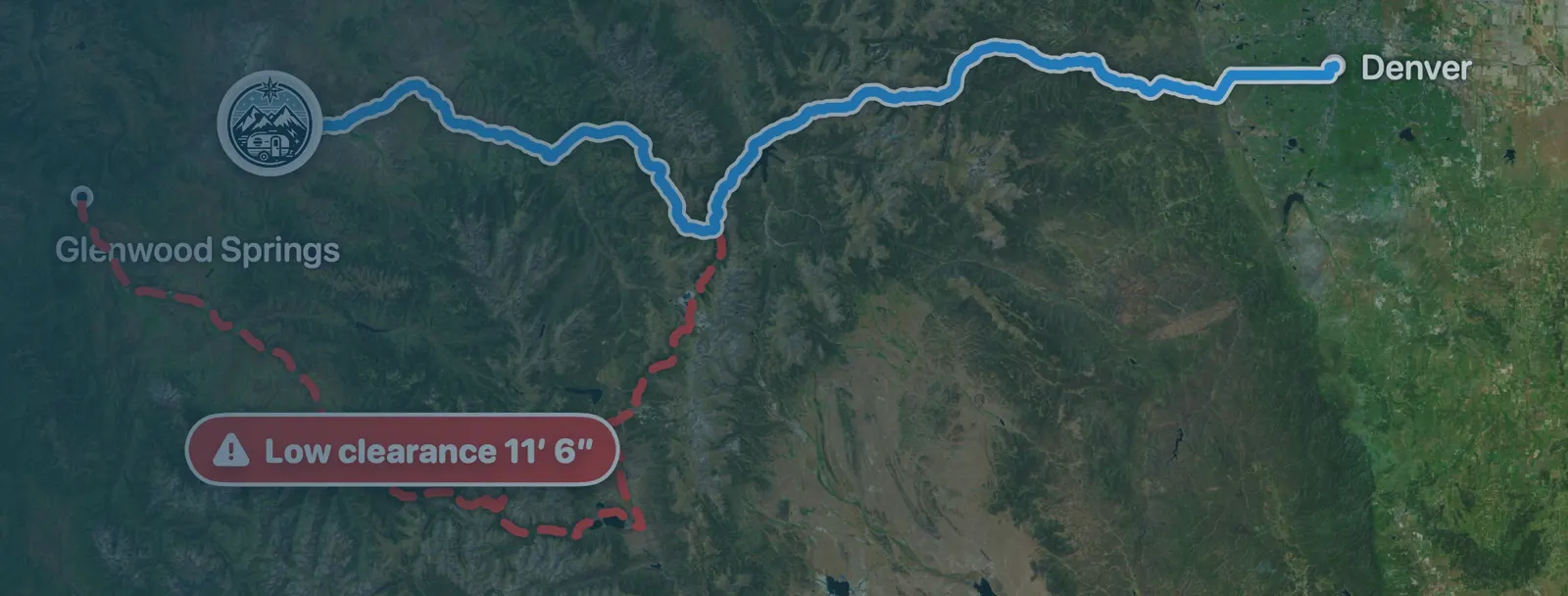
Map of an RV-safe route from Denver to Glenwood Springs, avoiding a road marked Low clearance 11 feet 6 inches
RV-safe navigation

Directions that steer around low clearances

Enter your rig's height, length and weight once. Every route is checked for low bridges and tunnels; if one won't clear, RV Itinerary finds a detour or tells you there's no safe way through.

  • Low-clearance pins on and near your route
  • A Route Safety summary for the whole trip
  • Propane setting for tunnel restrictions
How RV-safe routing works β†’
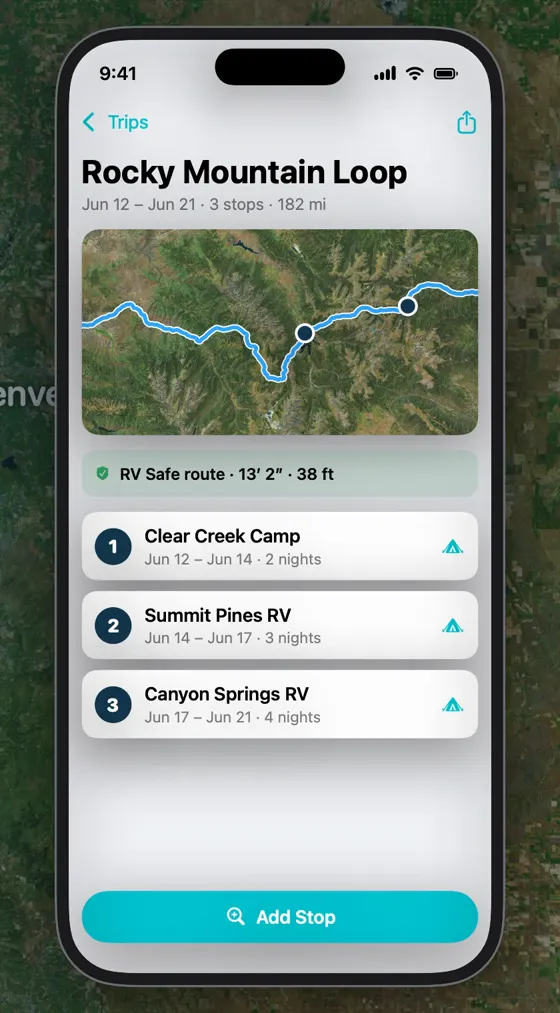
RV Itinerary trip screen for Rocky Mountain Loop, showing an RV Safe route at 13 feet 2 inches and three numbered campground stops with dates and nights
Trip planner

Every campground, date and reservation in one place

Build your itinerary stop by stop and see the drive time between each one. RV Itinerary flags overlapping dates and gaps, and rates each stop Ready, Review or High Risk before you go.

  • Site numbers, reservation numbers and costs
  • Weather alerts for upcoming stops
  • Campground ratings and reviews from fellow RVers
Explore the trip planner β†’
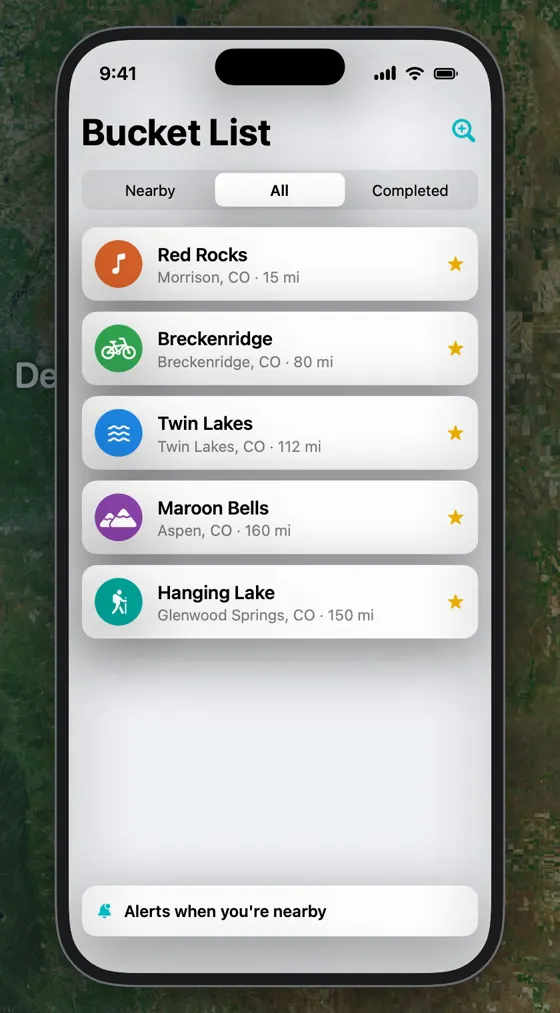
RV Itinerary bucket list with Red Rocks, Breckenridge, Twin Lakes, Maroon Bells and Hanging Lake, and alerts when you're nearby turned on
Bucket list

Never drive past the places you meant to see

Save parks, trails, museums and landmarks. RV Itinerary shows which ones are near your route and alerts you when you're within 50 miles of one.

See the bucket list β†’
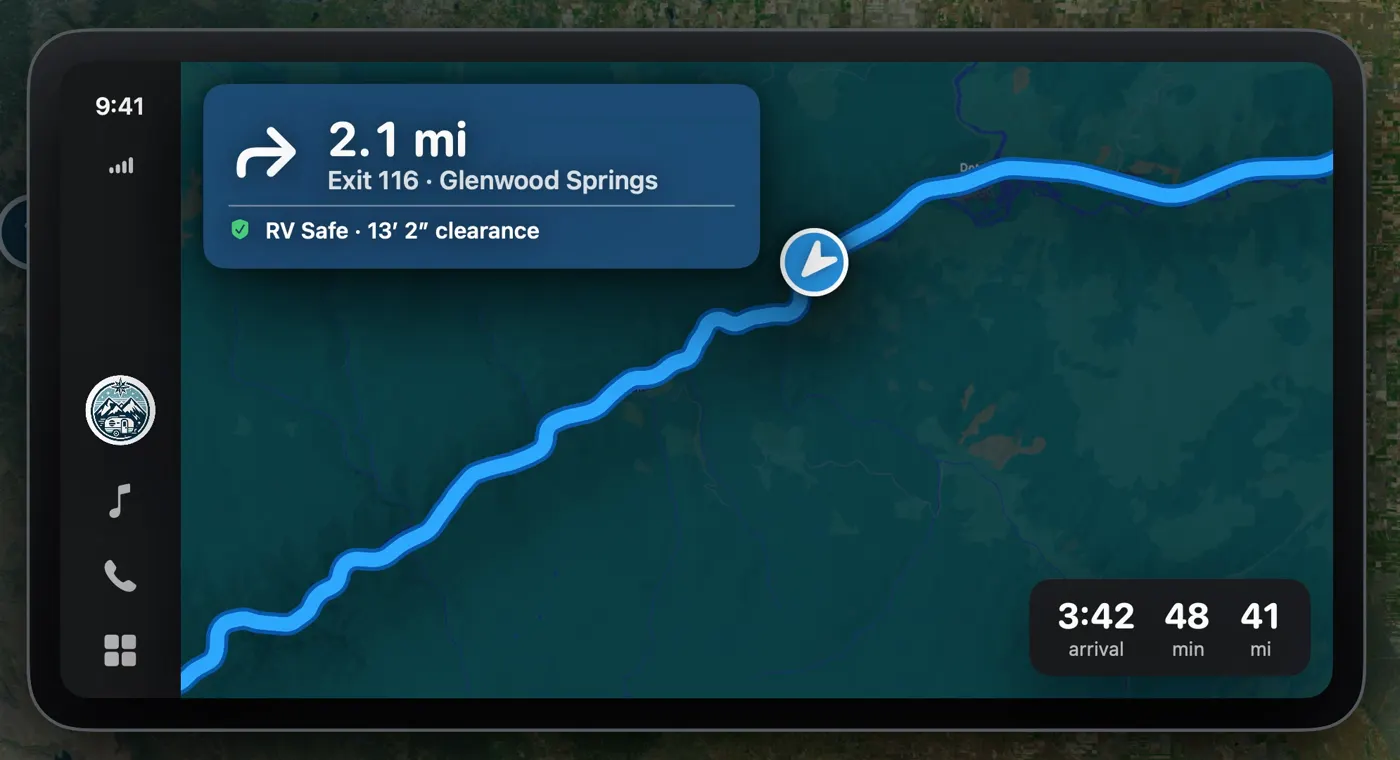
RV Itinerary on Apple CarPlay: turn right in 2.1 miles at Exit 116 Glenwood Springs, RV Safe with 13 foot 2 inch clearance
Apple CarPlay

Turn-by-turn RV navigation on the big screen

Your RV-safe route, next turn and arrival time right on your dashboard, with Siri to start navigation hands-free.

RV Itinerary on CarPlay β†’

Built for life on the road

The small things that make travel days easier.

Spot 2 Night

Find RV sites available tonight near you, sized to your rig.

Emergency help

Hospitals, vets, RV repair and towing near you, nearest first.

Trip Readiness

Ready, Review or High Risk: catch a missing reservation before travel day.

Weather & route alerts

A heads-up on weather and route alerts for the week ahead, with time to adjust.

Campground reviews

Ratings and photos from RVers, and a nudge to review your own stays.

Calendar & PDF

Sync stops to Apple Calendar or share a printable itinerary.

AI trip search

Describe the trip you want, and get suggested stops along the way. (Beta)

Plan on the web

Premium includes the web app, synced with your iPhone.

How it works

Three steps from idea to campsite.

  1. Tell us about your rig

    Enter your RV's height, length and weight. Measure to the highest point, including the A/C and antennas.

  2. Build your trip

    Add campgrounds and stops, or describe your trip and let AI trip search suggest them. Add dates and reservations as you book.

  3. Drive with confidence

    Follow RV-safe directions on your iPhone or CarPlay, with low clearances, weather and nearby bucket-list stops along the way.

Free to start. Premium when you're ready.

Every core feature is free in the iPhone app. Premium removes ads and adds the web app.

Common questions

Is RV Itinerary free?
Yes. The iPhone app is free to download and use, with ads. Premium removes the ads and adds access to the RV Itinerary web app for planning on a computer. See pricing.
Does RV Itinerary avoid low bridges and tunnels?
Yes. Every route is checked against a low-clearance database using the height you enter for your RV. A route that passes under a bridge or tunnel too low for your rig isn't used; the app looks for a detour around it and tells you if no RV-safe route can be found. Clearances near your route are shown on the map. Clearance data can be incomplete, so always obey posted signs.
Does RV Itinerary work with Apple CarPlay?
Yes. RV Itinerary shows RV-safe, turn-by-turn navigation on your CarPlay screen, along with nearby emergency services and alerts when you're close to places on your bucket list.
Is RV Itinerary available on Android?
No. RV Itinerary is built for Apple devices: iPhone, iPad and Apple CarPlay, plus a web app for Premium subscribers that works in any modern browser. It requires iOS 18 or later.
Can I plan trips on my computer?
Yes. Premium subscribers can log in to the RV Itinerary web app at rvitinerary.com to plan trips on a bigger screen. Trips, bucket list items and RV details sync between the web app and the iPhone app.

See all questions β†’

Your next trip starts with a safer route

Download RV Itinerary free on iPhone. Enter your rig's height once, and every route checks for low clearances.